
Oh My Payroll · Features
The pay run.
The records.
The follow-through.
Canadian payroll is more than a net-pay number. Bring the employee details, the calculations and the paperwork into one workspace — with a clear view of what still needs your review.
Join the waitlistPreparing for launch. No account or payment required.
From hours to pay stubs
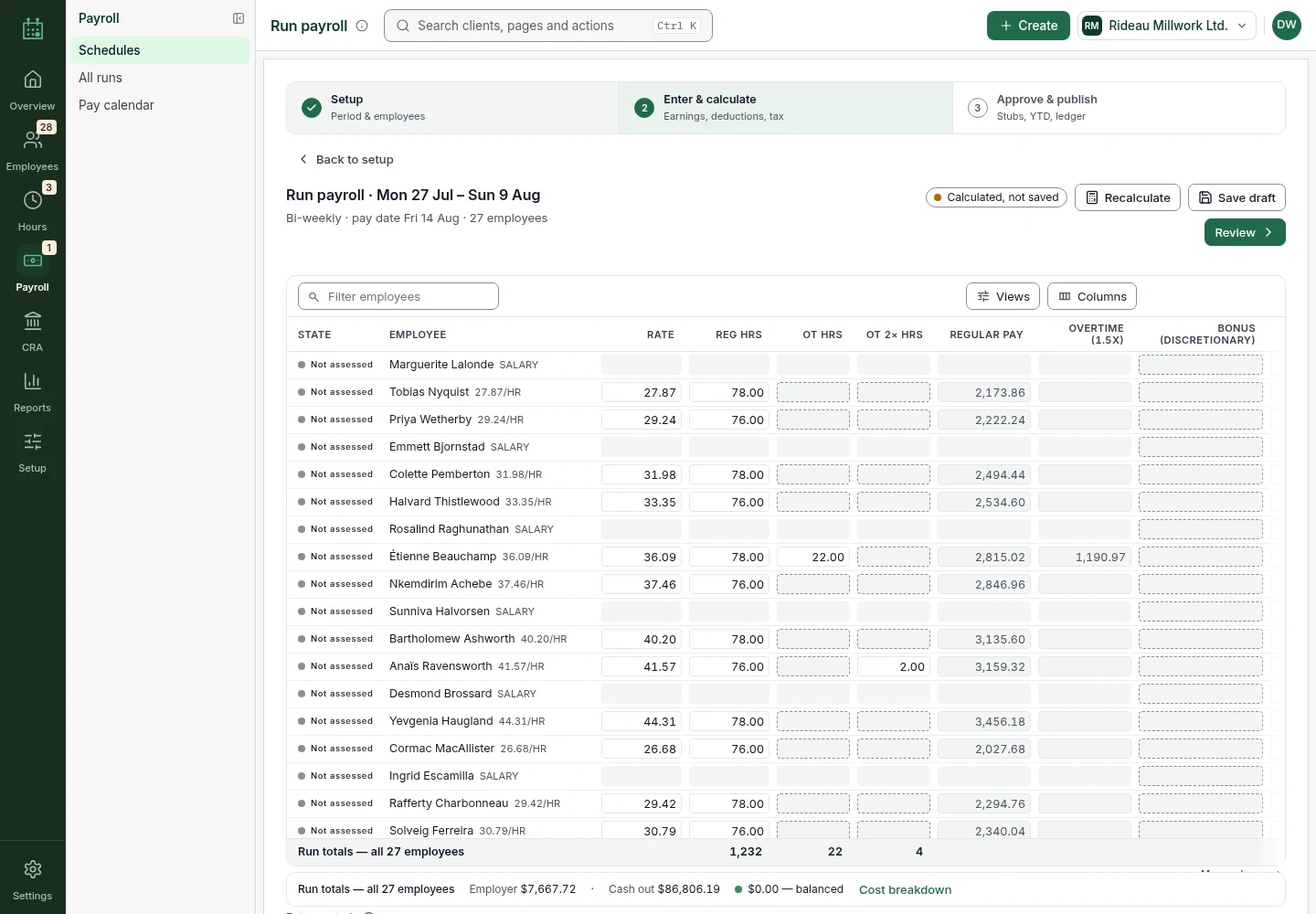
See the whole run before you publish.
Bring employee records, pay schedules, hours and earnings into a payroll run. Calculate deductions, review the register and resolve checks before publishing the pay records.
- Enter and approve period hours in Timesheets, then bring them into the run.
- Calculate federal and provincial income tax, CPP, CPP2 and EI using the CRA T4127 tables.
- Review employee amounts and employer costs before publishing pay stubs.
Payroll runs support every Canadian province and territory except Québec. Publishing creates payroll records; it does not send money to employees.
Keep source deductions in view
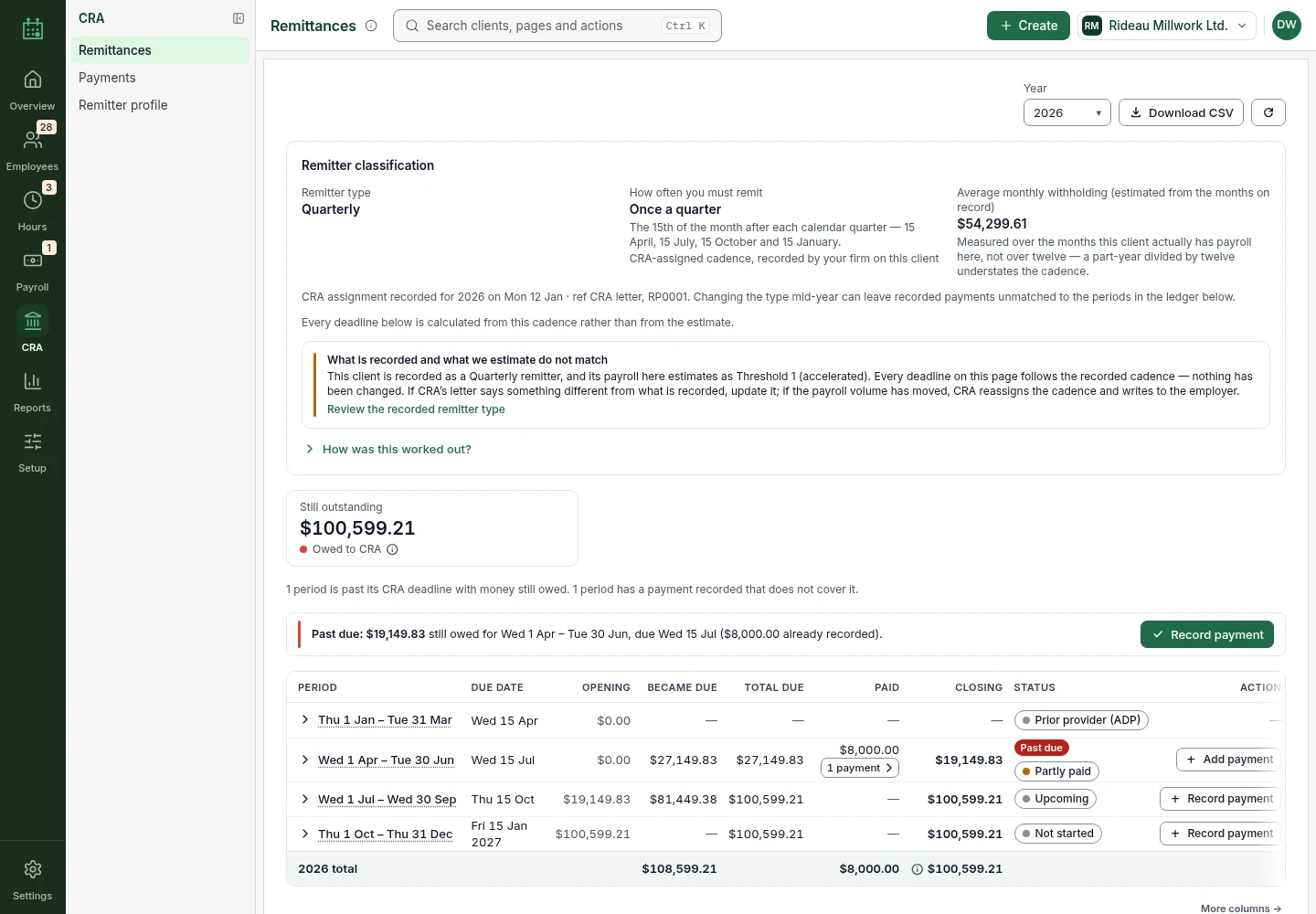
A clearer record of what you owe and what you paid.
Use the remittance centre to review CRA source deductions from published payroll. The ledger brings accrued amounts, recorded payments and outstanding balances together.
- Review remittance periods and due dates using the recorded remitter profile.
- See income tax, employee and employer CPP, and EI in PD7A-style reporting.
- Record payments made outside the app and compare them with the payroll liability.
These are your payroll records, not a live CRA statement of account. Complete payment through your existing CRA payment channel; the app does not remit funds.
Preparation, with review built in
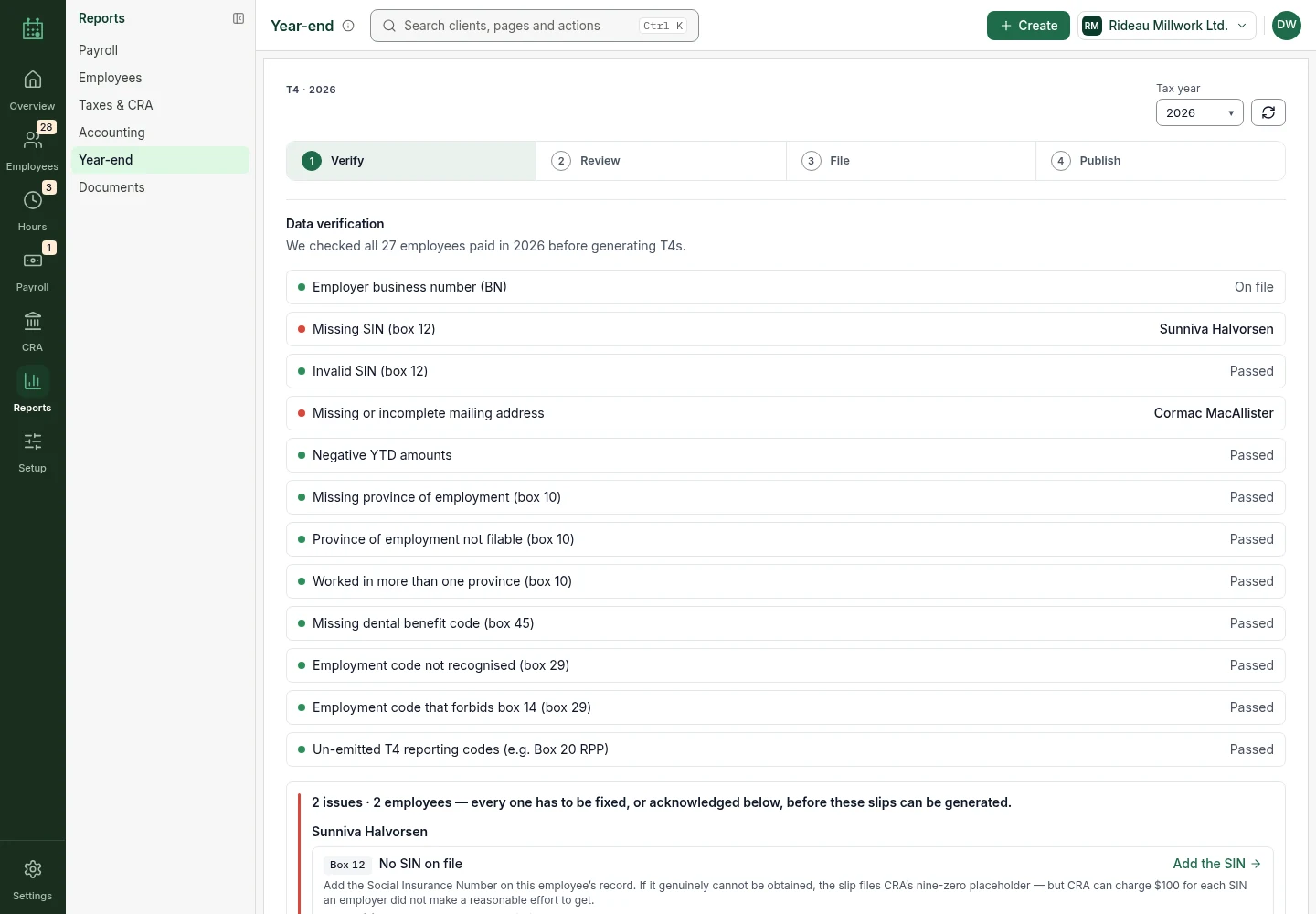
Turn payroll records into the next piece of paperwork.
Prepare T4 slips and summary reporting from the payroll records held in the app. The year-end workspace surfaces data-verification issues before you review employee amounts.
- Review T4 box amounts and the underlying year-end checklist.
- Publish issued T4 slips to the employee portal.
- Prepare Records of Employment with insurable earnings, hours and separation details for review.
Preparation is not automatic filing. Review the output and follow CRA or Service Canada submission requirements. ROEs are not filed directly with Service Canada.
Pay information, without the back-and-forth
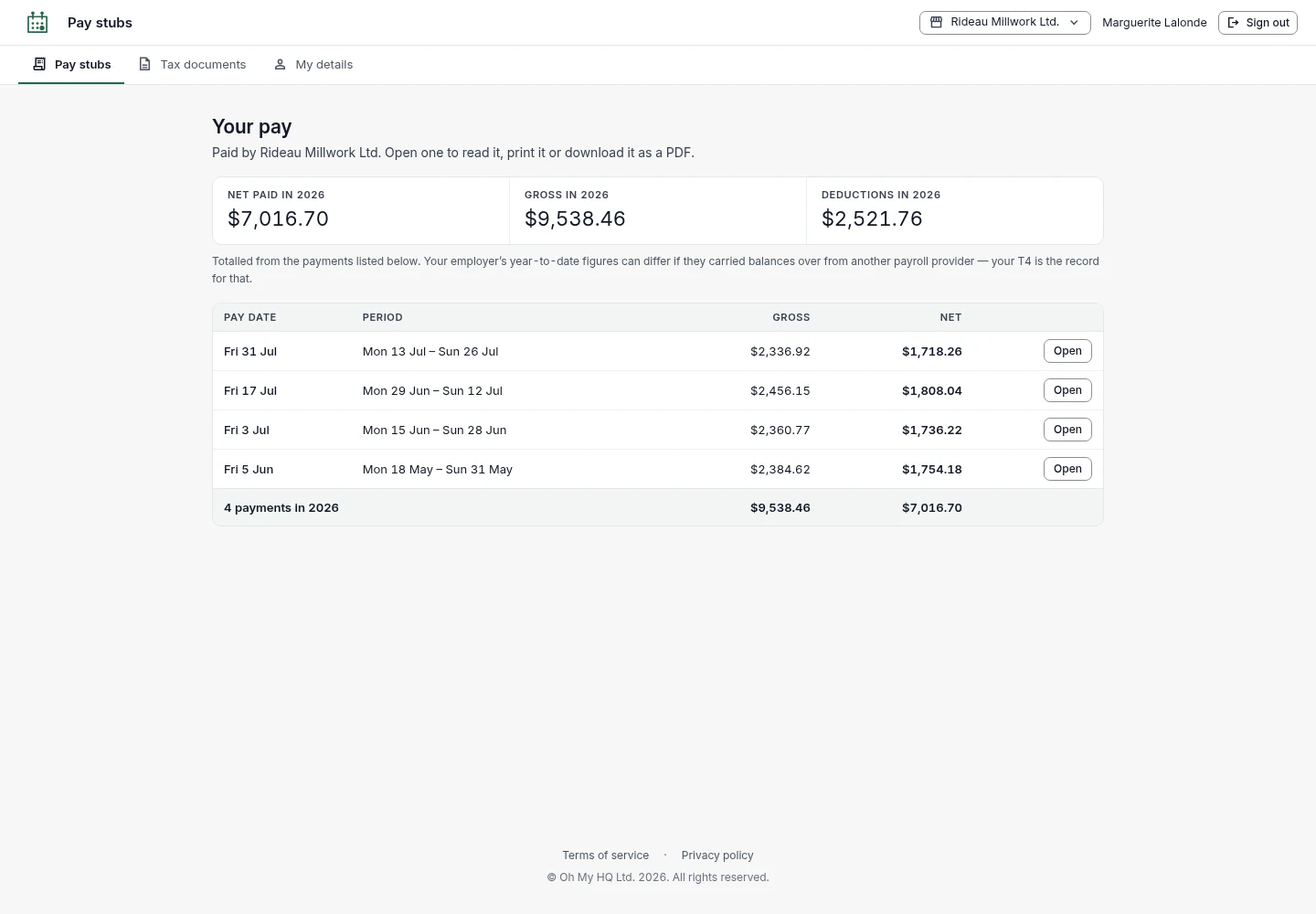
Give employees a place for their pay records.
Employees can open their own pay-stub history in the self-service portal and view the details of a statement, rather than requesting another copy from the payroll team.
- View pay periods, gross pay, deductions and net pay.
- Download a PDF copy of a pay stub.
- View issued T4s and ROEs made available through the portal.
The existing portal uses an employer-issued access code and last name. It is a pay-record portal, not a bank account or a way to move money.
One firm, more than one payroll
Keep the client work together. Keep access intentional.
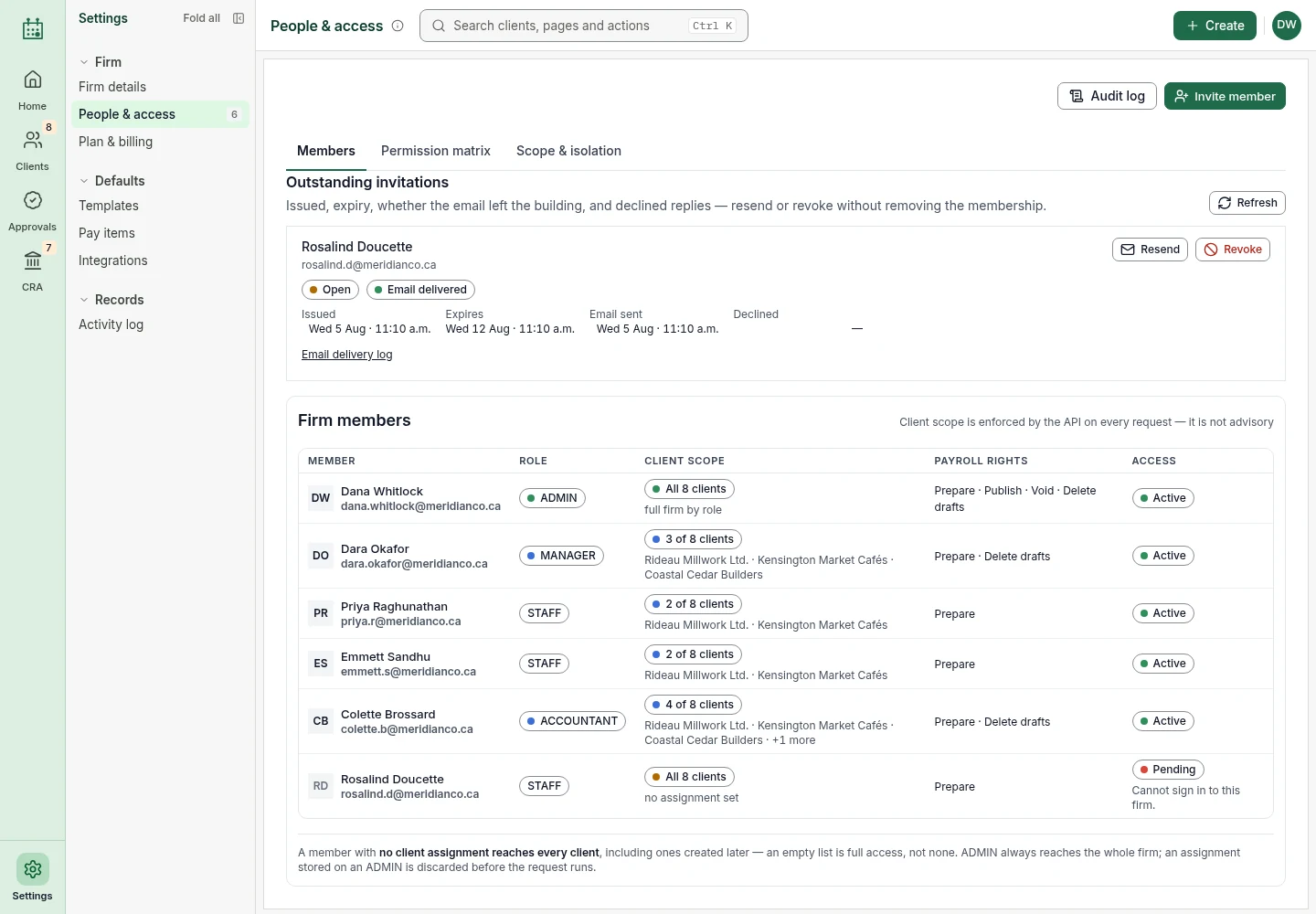
Manage multiple client companies from the firm workspace, then move into each client’s employees, pay schedules and payroll records. People & access gives the team a shared view of roles and client scope.
- Organize client companies and their payroll work in one firm.
- Review CRA remittance periods across the clients in your scope.
- Assign team roles and client access, with server-side permission checks.
Roles and assigned-client scope determine what a team member can do. Joining the public waitlist does not create a firm or give access to client records.
An estimate before the pay run
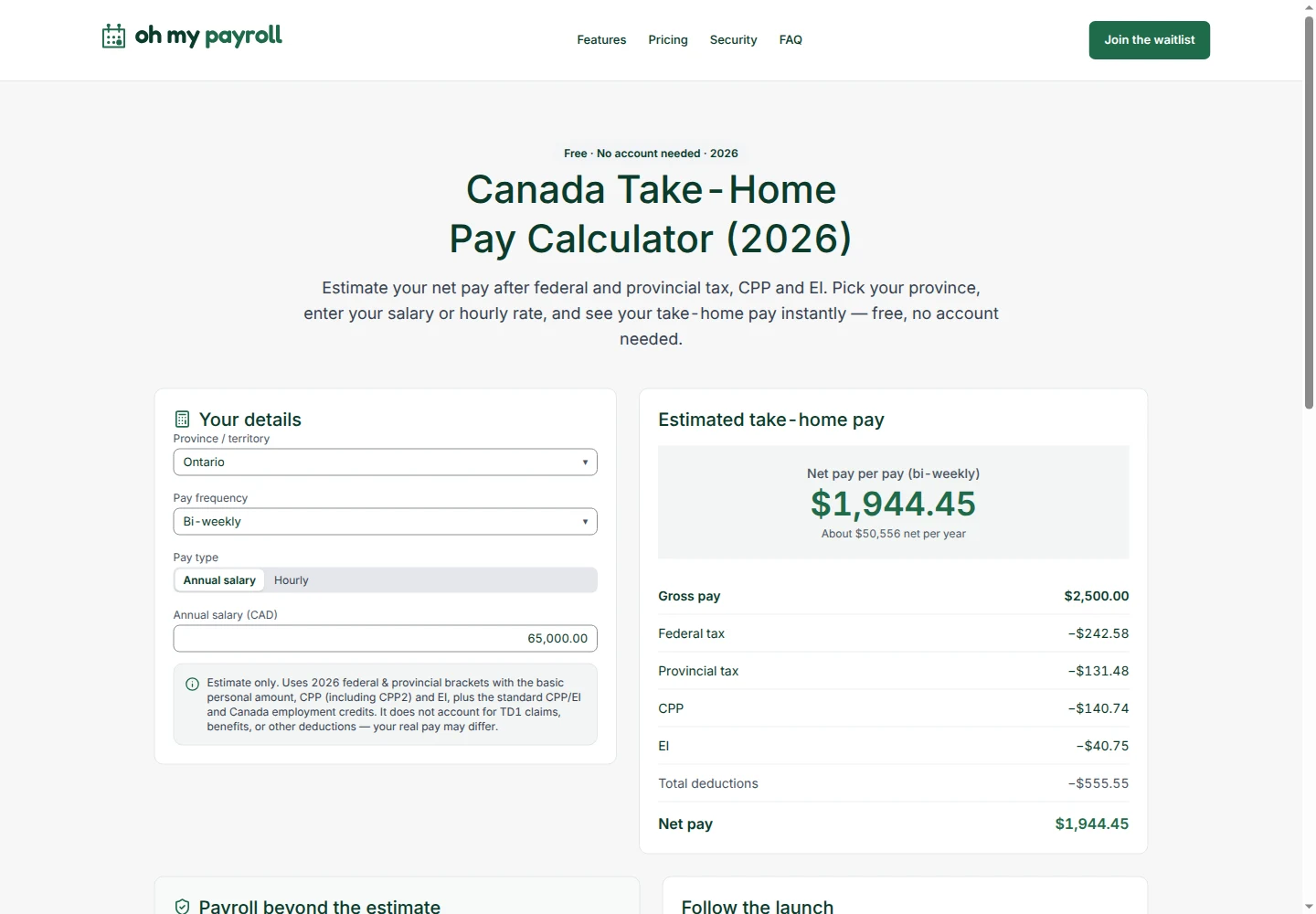
Explore what gross pay could look like after deductions.
The public take-home pay calculator gives a basic estimate from the province, gross pay and pay frequency you enter. No payroll account is needed to use the tool.
- Compare a salary or hourly-pay example with estimated take-home pay.
- See estimated income tax, CPP and EI alongside net pay.
- Change the pay frequency to view the estimate for a different period.
This is a basic estimate, not a pay stub or tax advice. Québec tax, QPP and QPIP are not modelled, and actual payroll depends on each employee’s details.
A clear boundary
What it does not do yet.
Know where the workspace ends and your next step begins.
No bank payments
No direct deposit, EFT or bank payment initiation. Pay employees and remit deductions through your existing channels.
No Québec payroll
Québec income tax, QPP and QPIP are not supported by the payroll engine.
No automatic agency submission
Preparing a T4 or ROE is not the same as filing it. Review documents and complete the required submission outside the app.
Your next payroll workspace
A little less scattered.
A lot more in view.
Join the waitlist to hear when Oh My Payroll opens for access.
Join the waitlistNo account or payment required.